Windows XP Windows 7 Windows 2003 Windows Vista Windows 綜合教學 Linux 系統教學
Windows 10 Windows 8 Windows 2008 Windows NT Windows Server 電腦軟體教學
您现在的位置: Windows教程網 >> Windows教程 >  >> 電腦軟體教學 >> 伺服器技術 >> 關於伺服器

phpMyAdmin 權限管理功能消失修復:匯入 create_tables.sql 重建系統表

編輯:關於伺服器

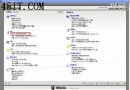
現象:phpMyAdmin 介面中找不到「權限」分頁,無法管理用戶權限。

根因

phpMyAdmin 依賴專用系統表(pma__*)儲存權限、書籤、歷史記錄等元資料。誤刪資料庫或未正確初始化導致系統表缺失。

一鍵修復

  1. 使用 root 登入 phpMyAdmin
  2. 點擊頂部選單「匯入」
  3. 選擇檔案:phpMyAdmin 根目錄/scripts/create_tables.sql
  4. 執行匯入
  5. 登出重新登入,權限功能恢復

手動驗證(可選)

mysql -u root -p -e "SHOW TABLES FROM phpmyadmin;"
# 應包含 pma__users, pma__usergroups, pma__navigationhiding 等表

預防建議

  • 安裝 phpMyAdmin 後立即執行 create_tables.sql
  • 配置 config.inc.php 指定控制用戶($cfg['Servers'][$i]['controluser'])

  • 定期備份 phpMyAdmin 系統資料庫
Copyright © Windows教程網 All Rights Reserved