錯誤現象
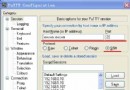
USER sinacom
331 Password required for sinacom
PASS (隱藏)
530 Login or password incorrect!
連接失敗
原因分析
530 錯誤 明確表示:使用者名稱或密碼錯誤。常見原因:
- 密碼輸入錯誤(大小寫、特殊字元、全形/半形)
- 帳號被鎖定或停用
- FTP 使用者資料庫與系統帳號不同步
- 虛擬主機環境下,FTP 帳號與控制台帳號分離
解決步驟
- 確認帳號狀態:登入主機控制台(cPanel/Plesk/DirectAdmin 或 SSH),檢查 FTP 帳號是否存在、啟用、配額是否滿額。
- 重設密碼:在控制台重設 FTP 密碼,建議使用密碼產生器產生強密碼,複製貼上避免輸入錯誤。
- 驗證連線模式:嘗試切換主動/被動模式(PASV),排除防火牆導致的連線中斷誤判。
- 檢查日誌:
tail -f /var/log/vsftpd.log 或 /var/log/xferlog 觀察詳細錯誤代碼。
進階排查
- 若使用虛擬使用者(如 vsftpd + MySQL),確認資料庫連線正常、密碼雜湊方式一致(MD5/SHA/CRYPT)。
- SELinux 可能阻擋,臨時關閉測試:
setenforce 0
- TCP Wrappers 檢查:
/etc/hosts.allow、/etc/hosts.deny
最佳實踐
生產環境建議棄用傳統 FTP,改用 SFTP (SSH File Transfer Protocol) 或 FTPS (FTP over TLS),兼具安全性與相容性。