三大標準流
| 名稱 | 檔案描述符 | 預設裝置 | 用途 |
|---|
| 標準輸入 (stdin) | 0 | 鍵盤 | 程式讀取資料來源 |
| 標準輸出 (stdout) | 1 | 螢幕 | 程式正常輸出結果 |
| 標準錯誤 (stderr) | 2 | 螢幕 | 程式錯誤/診斷資訊 |
輸出重定向
覆蓋寫入 (> / 1>)
ls -l > filelist.txt        # stdout 寫入檔案
ls -l 1> filelist.txt       # 等同
command > output.txt 2> error.txt  # 分離 stdout/stderr
追加寫入 (>> / 1>>)
date >> log.txt             # 追加時間戳
command >> output.txt 2>> error.txt
合併 stdout 與 stderr
# 方式 1:2>&1 將 stderr 導向 stdout 所指 (順序重要)
command > combined.log 2>&1

# 方式 2:&> 簡寫 (Bash/Zsh)
command &> combined.log

# 方式 3:追加合併
command >> combined.log 2>&1
輸入重定向 (<)
# 從檔案讀取輸入
sort < unsorted.txt > sorted.txt

# Here Document (腳本內嵌輸入)
cat << EOF > config.txt
server=localhost
port=8080
EOF

# Here String (Bash)
grep "pattern" <<< "input string"
管道
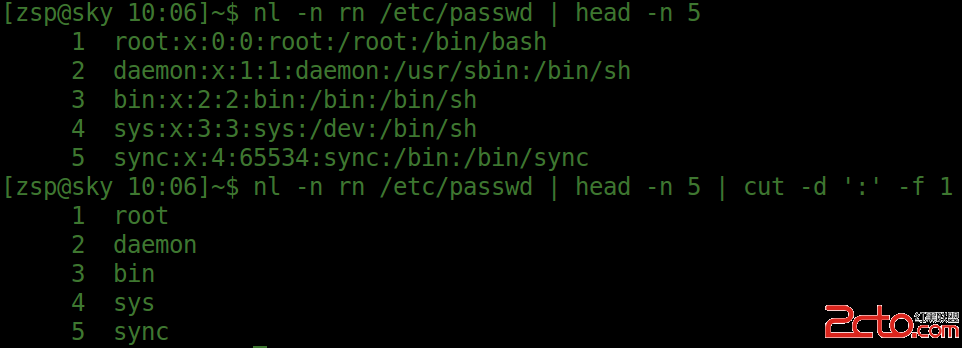
# 基本管道:前一命令 stdout → 後一命令 stdin
cmd1 | cmd2 | cmd3

# 經典組合
ps aux | grep nginx | grep -v grep
cat access.log | awk '{print $1}' | sort | uniq -c | sort -nr | head -10
管道原理
- Shell 建立管道 (pipe 系統呼叫),回傳兩個 fd:讀端、寫端
- fork 子進程,重新導向
stdout → 管道寫端、stdin → 管道讀端
- 關閉未使用的 fd,執行命令
- 資料流:鍵盤 → cmd1 → 管道 → cmd2 → 螢幕
進階檔案描述符操作
自訂 fd (3-9)
# 開啟 fd 3 讀取檔案
exec 3< input.txt
read line <&3
exec 3<&-  # 關閉 fd 3

# 開啟 fd 4 寫入檔案
exec 4> output.txt
echo "log" >&4
exec 4>&-
交換 stdout/stderr (除錯技巧)
# 將 stdout 導向 stderr,stderr 導向檔案
command 3>&1 1>&2 2>&3  # 交換 1 和 2
# 等同:command 3>&2 2>&1 1>&3
tee 同時輸出螢幕與檔案
command | tee output.txt          # 覆蓋
command | tee -a output.txt       # 追加
command 2>&1 | tee combined.log   # 含 stderr
實戰範例集
| 需求 | 指令 |
|---|
| 只看錯誤訊息 | command 2>&1 >/dev/null 或 command 2> >(cat >&2) |
| 忽略所有輸出 | command >/dev/null 2>&1 |
| 錯誤寫檔、正常輸出螢幕 | command 2> error.log |
| 正常輸出寫檔、錯誤螢幕 | command > output.log |
| 同時記錄正常與錯誤到同一檔 | command &> all.log |
| 管道傳遞 stderr | command 2>&1 | grep "error" |
| 多命令共用重定向 | { cmd1; cmd2; } > combined.log 2>&1 |
常見陷阱
command > file 2>&1 ✅ 正確 (stdout→file, stderr→stdout→file)command 2>&1 > file ❌ 錯誤 (stderr→舊stdout→螢幕, stdout→file)- 管道只傳遞 stdout,stderr 需
2>&1 合併
sudo command > /root/file 權限不足 → command | sudo tee /root/file