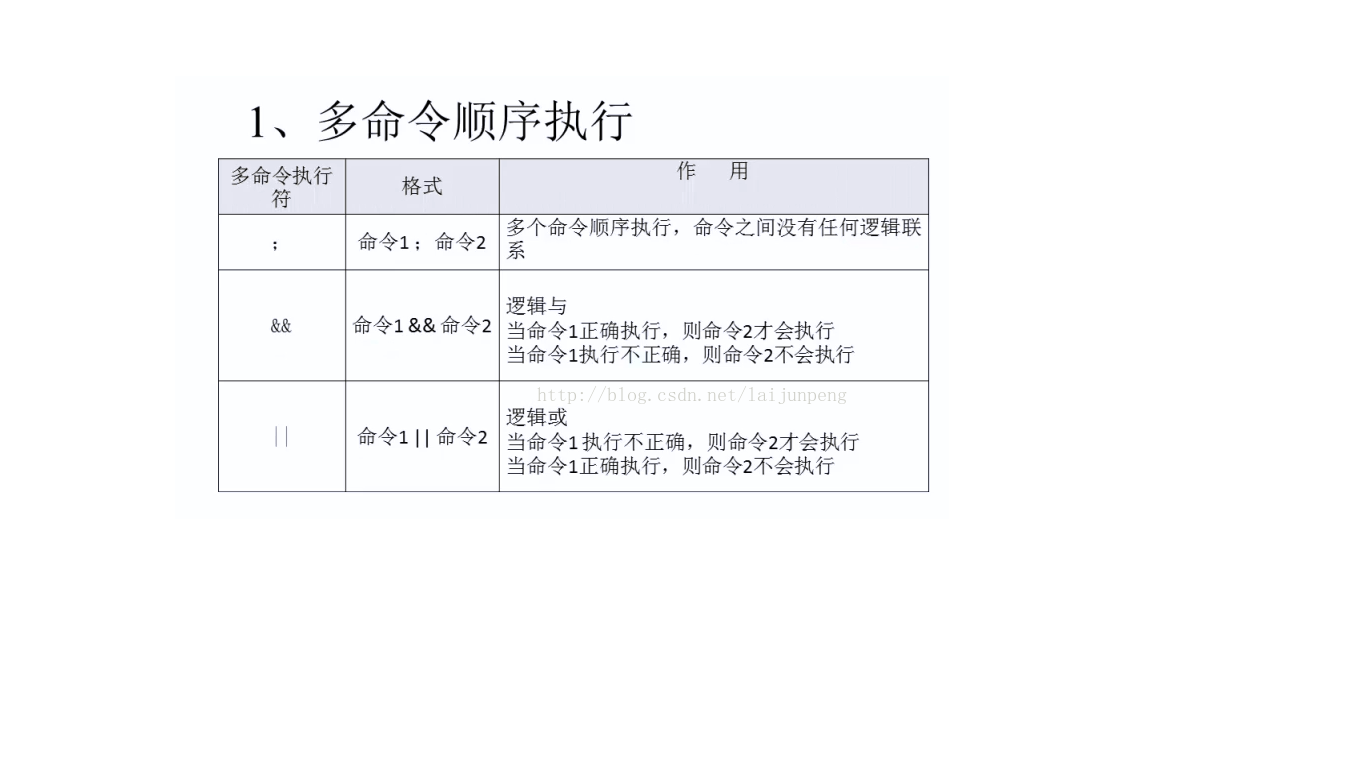
# 建立測試目錄mkdir ~/testcd ~/test# 複製系統文件cp /etc/passwd ~/test/mypasswd# 重命名mv ~/test/mypasswd ~/test/mypasswd.bak# 建立子目錄與 C 文件mkdir ~/test/test1cd ~/test/test1cat > hello.c << 'EOF'#include <stdio.h>int main() { printf("Hello, Makefile!\\n"); return 0; }EOF# Makefilehello: hello.c gcc -o hello hello.c執行 make 自動編譯;修改 hello.c 後再執行增量編譯。
# 1. 掃描生成 configure.scanautoscan# 2. 重命名並編輯 mv configure.scan configure.in# 內容示例:AC_INIT(hello, 1.0)AM_INIT_AUTOMAKE(hello, 1.0)AC_PROG_CCAC_CONFIG_FILES([Makefile])AC_OUTPUT# 3. 生成配置腳本aclocalautoconfautoheader# 4. 編寫 Makefile.amAUTOMAKE_OPTIONS = foreignbin_PROGRAMS = hellohello_SOURCES = hello.c# 5. 生成 Makefile.inautomake --add-missing# 6. 配置並構建./configuremake優點:跨平台、標準化、支持 make dist 發布源碼包。缺點:學習曲線陡、腳本繁瑣。
# CMakeLists.txtcmake_minimum_required(VERSION 3.10)project(hello LANGUAGES C)add_executable(hello hello.c)mkdir build && cd buildcmake ..makecmake --build .優點:語法簡潔、IDE 支持好、跨平台構建、不污染源碼目錄。
# 安裝 VMware Tools 啟用共享目錄sudo dpkg -i WineQQ2012-20120719-Longene.deb# 解決依賴sudo apt-get install -f# 運行/opt/longene/qq2012/bin/qq# 解壓tar jxvf arm-linux-gcc-3.4.1.tar.bz2 -C /usr/local/arm/3.4.1# 環境變量永久生效echo 'export PATH=$PATH:/usr/local/arm/3.4.1/bin' >> ~/.bashrcsource ~/.bashrc# 驗證arm-linux-gcc -v# 交叉編譯測試arm-linux-gcc -o hello_arm hello.c # 僅能在 ARM 板運行file hello_arm # 顯示 ARM ELF注意:交叉編譯產物不可在 x86 執行,需通過 NFS/串口/ADB 部署到目標板測試。