Samba 是實現 Linux 與 Windows 文件共享的標準協議實現。本文從環境檢查、軟件安裝、目錄創建、用戶授權、配置文件編寫、服務啟動到客戶端驗證,提供全流程圖文指導,適合快速落地部署。
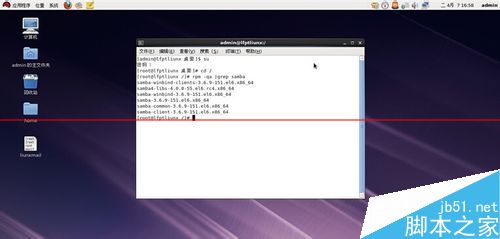
rpm -qa | grep samba(無輸出則未安裝)yum install -y samba samba-client 或 apt-get install -y samba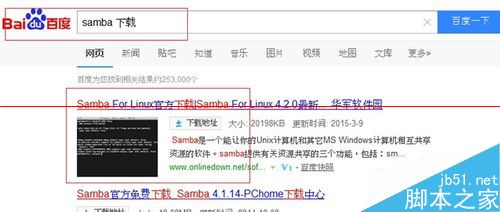
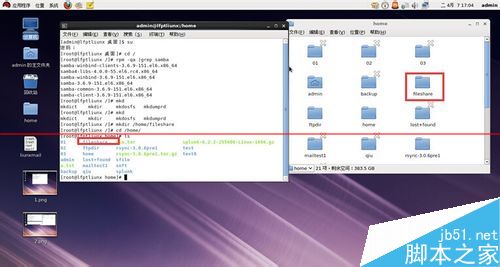
mkdir -p /home/fileshare
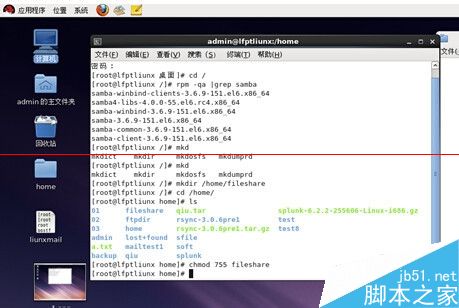
chmod 755 /home/fileshare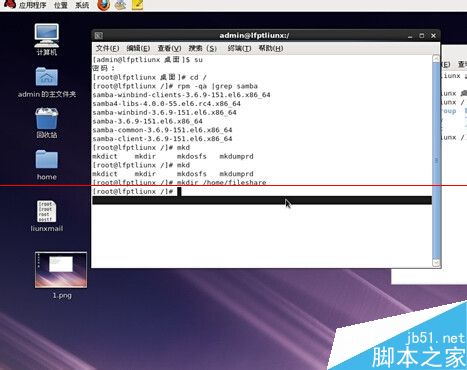
核心原則:訪問共享必須使用 Samba 獨立賬號,不可直接使用系統賬號。
groupadd fileshare
useradd -s /sbin/nologin -g fileshare fileuser
smbpasswd -a fileuser  # 設置 Samba 密碼(與系統密碼獨立)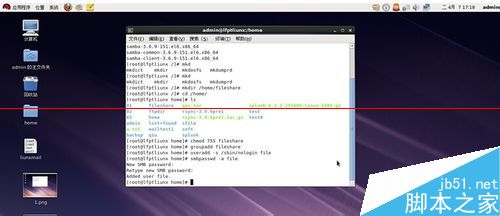
/etc/samba/smb.confvim /etc/samba/smb.conf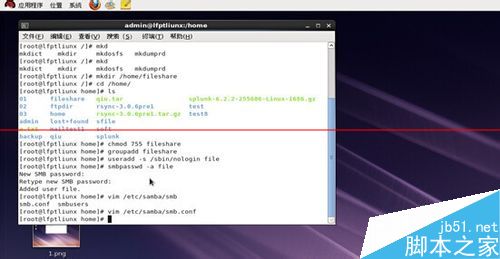
[global]
    workgroup = WORKGROUP
    server string = Samba Server %v
    netbios name = linux-samba
    security = user
    map to guest = bad user
passdb backend = tdbsam[fileshare]
path = /home/fileshare
browseable = yes
writable = yes
valid users = fileuser
create mask = 0664
directory mask = 0775systemctl restart smb nmb
systemctl enable smb nmb
# 防火牆放行
firewall-cmd --permanent --add-service=samba
firewall-cmd --reload\\Server_IP\filesharefileuser 及 Samba 密碼| 現象 | 可能原因 | 解決方案 |
|---|---|---|
| 無法訪問共享 | 防火牆/SELinux 阻攔 | 放行 139/445 端口;setsebool -P samba_enable_home_dirs on |
| 提示密碼錯誤 | 用戶未加入 smbpasswd / 密碼不一致 | 重新執行 smbpasswd -a user |
| 只讀無法寫入 | Linux 目錄權限 / smb.conf writable=no | 檢查目錄 775、擁有者、配置 writable=yes |
| 看不見共享名 | nmb 服務未啟 / 工作組不一致 | 啟動 nmb、確認 workgroup 一致 |