CentOS 預設允許 root 直接 SSH 登入且未配置 sudo,存在暴力破解與誤操作風險。本文說明建立 sudo 管理員、鎖定 root SSH 登入的標準流程。
# 建立用戶
useradd centos
passwd centos

# 配置 sudo 權限
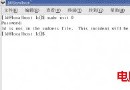
visudo
# 找到
root    ALL=(ALL)       ALL
# 下方新增
centos  ALL=(ALL)       ALL
# 或允許免密 (生產慎用)
# centos  ALL=(ALL)       NOPASSWD: ALL
visudo 會語法檢查,防止配置錯誤導致無法 sudo。
vim /etc/ssh/sshd_config
# 修改
PermitRootLogin no
# 建議同時啟用
PubkeyAuthentication yes
PasswordAuthentication no # 僅允許金鑰登入,更安全systemctl reload sshd
# 或
service sshd reloadcentos 用戶 SSH 登入。sudo -l 顯示權限。sudo systemctl status sshd 執行管理指令。ssh root@server 應被拒絕。PermitRootLogin 限制。PermitRootLogin prohibit-password 僅允許金鑰登入。# 僅允許特定指令
centos ALL=(ALL) /usr/bin/systemctl restart httpd, /usr/bin/systemctl status httpd
# 群組授權 (wheel 群組)
%wheel ALL=(ALL) ALL
# 將用戶加入 wheel
usermod -aG wheel centos/var/log/secure 中的 sudo 使用記錄。Defaults logfile=/var/log/sudo.log 集中記錄。Linux usermod 指令詳解:修改用戶帳號屬性 (家目錄、Shell、群組、UID、鎖定/解鎖)
vsftpd 虛擬用戶完整配置實戰 (權限、頻寬、目錄隔離)
Laravel + Grunt + Bower 前後端現代化專案架構實戰
x86 段寄存器演進:從 8086 基址到 80386 選擇子
Linux sar 系統活動報告工具全解析:CPU、內存、磁碟、網絡、佇列多維度性能診斷實戰
移除 Linux 後刪除 GRUB 開機選單四大實戰方案:fdisk/mbr、dd 還原、Clear MBR 工具、GRUB 命令列引導 Windows