場景:原站點跑 Apache,欲快速以 Nginx 做前端反向代理,Apache 配置不動。
server {
    listen 81;
    server_name website.com;
    location / {
        proxy_pass https://website.com;
    }
}
sudo /usr/local/nginx/sbin/nginx -t
# 成功輸出:
# nginx: the configuration file ... syntax is ok
# nginx: configuration file ... test is successful
每行必須以分號結尾,否則易報誤導性錯誤 (如缺少 })。配置錯誤可能導致進程失控,甚至 stop 無效,需 sudo killall nginx 強制殺死。
sudo /etc/init.d/nginx reload
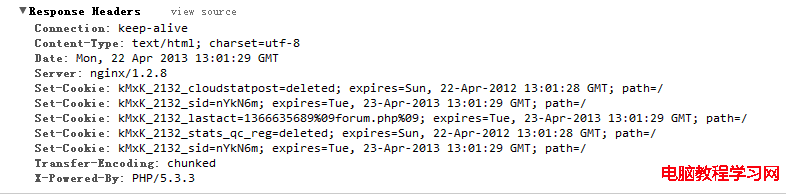
瀏覽器訪問 https://website.com:81,Chrome 開發者工具 Network 標籤查看第一個請求的 Response Header Server: nginx 確認生效。