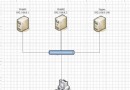
Mono 是跨平台開源 .NET 框架,配合 Apache 和 mod_mono 可在 Linux 上運行 ASP.NET 應用。本文記錄從源碼編譯安裝全過程,含依賴解決、模塊配置及測試驗證。
yum install bison make gcc gcc-c++ libstdc++-devel gettext pkgconfig glib2-devel
yum install libtiff-devel libjpeg-devel giflib-devel libpng-devel libX11-devel freetype-devel fontconfig-devel libexif-devel編譯:
./configure --prefix=/usr/local && make && make install./configure --prefix=/usr/local && make && make install驗證:
mono -V./configure --prefix=/usr/local/apache --enable-mods-shared=most && make && make install
./configure && make && make install
Package requirements (mono >= 2.10.0) were not met,設置環境變量:export PKG_CONFIG_PATH=/usr/local/lib/pkgconfig
/usr/local/apache/conf/httpd.conf,在 MPM 配置前添加:Include /usr/local/apache/conf/mod_mono.conf
ServerName www.example.com:80 避免啟動警告/usr/local/apache/htdocs/test.aspx(C# 代碼)/usr/local/apache/bin/apachectl restartApache(通訊框架)←→ mod_mono(接口橋)←→ xsp(ASP.NET 處理引擎,監聽本地端口)。請求流向:客戶端 → Apache → mod_mono → xsp → 返回處理結果。
echo "/usr/local/apache/bin/apachectl start" >> /etc/rc.local