伺服器遷移或災難恢復後,Apache 無法啟動,錯誤訊息:libsasl2.so.2 => not found。這是動態連結器找不到 SASL 函式庫的典型案例。本文示範如何用 ldd 定位缺失庫、尋找實體檔案位置、建立軟連結修復。
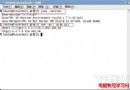
ldd 找出缺失依賴# whereis httpd
/usr/sbin/httpd
# ldd /usr/sbin/httpd
...
libsasl2.so.2 => not found
...
輸出中 not found 即為缺失庫。
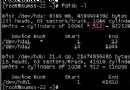
# whereis libsasl2.so.2
/usr/local/lib/libsasl2.so.2
/usr/local/lib/libsasl2.so.2.0.21

# ls -l /usr/local/lib/libsasl2.so.2
lrwxrwxrwx 1 root root 28 ... /usr/local/lib/libsasl2.so.2 -> /usr/local/lib/libsasl2.so.2.0.21
庫檔實際存在於 /usr/local/lib/,但動態連結器預設搜尋路徑 /lib、/usr/lib、/etc/ld.so.conf 定義的目錄中**不包含** /usr/local/lib。
ln -s /usr/local/lib/libsasl2.so.2.0.21 /lib/libsasl2.so.2
或更佳做法:將 /usr/local/lib 加入 /etc/ld.so.conf.d/local.conf 後執行 ldconfig,一次性解決所有自編譯庫的路徑問題。
# ldd /usr/sbin/httpd
...
libsasl2.so.2 => /lib/libsasl2.so.2 (0xf6c5a000)
...
缺失項消失,顯示正確記憶體位址。重啟 Apache:service httpd restart → 正常運行。
ldconfig:編譯安裝 make install 結束後,務必確認 /etc/ld.so.conf 包含安裝前綴的 lib 目錄,並執行 ldconfig 重建快取。yum install cyrus-sasl-lib 可自動處理路徑與相依,減少手動維護負擔。/usr/local:災難恢復若只備份 /etc、/var、資料庫,卻漏了 /usr/local 含自編譯庫,遷移後必現此錯。