磁碟預設邏輯扇區 512 Bytes,現代大容量硬碟常用 4K (4096 Bytes) 物理扇區 (Advanced Format)。快速確認:
[root@localhost ~]# fdisk -l
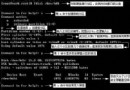
Disk /dev/sda: 500.1 GB, 500107862016 bytes, 976773168 sectors
Units = sectors of 1 * 512 = 512 bytes
Sector size (logical/physical): 512 bytes / 4096 bytes
I/O size (minimum/optimal): 4096 bytes / 4096 bytes
Sector size (logical/physical): 512 bytes / 4096 bytes → 邏輯 512B、物理 4K (Advanced Format)。I/O size (minimum/optimal): 4096 bytes / 4096 bytes → 建議 I/O 對齊 4K 倍數。512 bytes / 512 bytes 傳統 512B 物理扇區。# lsblk 顯示邏輯/物理扇區 lsblk -t # smartctl 查看詳細 (需 smartmontools) smartctl -a /dev/sda | grep -i sector # blockdev 獲取邏輯扇區 blockdev --getss /dev/sda
mkfs.ext4 -E stride=8,stripe-width=256 /dev/sdX (RAID 條帶優化)。fallocate -l 10G /path/file 預分配對齊。