Windows XP Windows 7 Windows 2003 Windows Vista Windows 綜合教學 Linux 系統教學
Windows 10 Windows 8 Windows 2008 Windows NT Windows Server 電腦軟體教學
您现在的位置: Windows教程網 >> Windows教程 >  >> Linux 系統教學 >> Linux 教學

GRUB 引導載入程式加密設定教學

編輯:Linux 教學

為何要為 GRUB 設定密碼?

GRUB(GRand Unified Bootloader)是 Linux 系統啟動的關鍵環節。若無密碼保護,攻擊者可在開機選單中編輯核心參數(如 init=/bin/bash),繞過認證直接取得 root shell,導致系統完全淪陷。設定開機密碼可有效阻擋實體接觸攻擊與單用戶模式濫用。

設定步驟(適用於 GRUB Legacy / GRUB 1.x)

  1. 產生加密密碼:
    # grub-md5-crypt
    Password: ********
    Retype password: ********
    $1$Salt$HashedPasswordString
  2. 編輯配置檔:
    # vi /boot/grub/grub.conf
    # 在檔案開頭區塊加入:
    password --md5 $1$Salt$HashedPasswordString
  3. (可選)鎖定特定啟動項: 在需保護的 title 區塊下加入 lock 指令,需輸入密碼才能啟動該項目。
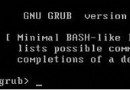
  4. 重新開機驗證: 重啟系統,GRUB 選單將提示輸入密碼(按 p)方可編輯或進入命令列模式。

注意事項

  • GRUB 2(現代發行版預設)配置方式不同,請使用 grub2-setpassword 或編輯 /etc/grub.d/40_custom 並執行 grub2-mkconfig。

  • 密碼雜湊僅防竄改配置,無法防止實體拔硬碟離線掛載;建議配合磁碟加密(LUKS)使用。
  • 妥善保管密碼,遺失將導致無法進入單用戶模式進行維護。
Copyright © Windows教程網 All Rights Reserved