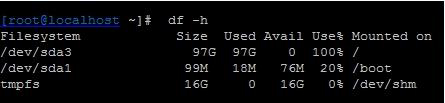
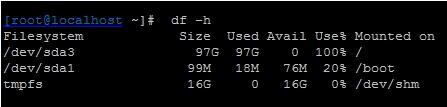
監控告警根分區滿,rm 刪除大檔案後 df 仍顯示滿載?經典案例:檔案被進程持有開啟,目錄項已刪除但 inode 未釋放。本文實戰演示用 lsof 定位進程、echo "" > file 在線清空釋放空間,避免重啟服務。
du -s /tmp/* | sort -nr | head -3 發現 /tmp/access_log 佔用 66GB (Apache 存取日誌)。rm /tmp/access_log 執行無誤,但 df -h / 空間未釋放。Linux 檔案儲存分 目錄項 (dentry/inode 指標) 與 資料區塊。rm 僅移除目錄項,若進程仍持有檔案描述符 (fd) 並持續寫入,inode 連結計數 > 0,資料區塊不會被標記為可用,df 仍計入已用空間。
lsof | grep deleted
# 或指定分區
lsof /tmp
輸出範例:
COMMAND  PID USER   FD   TYPE DEVICE SIZE/OFF     NODE NAME
httpd   1234 root    5w   REG  253,0  70G       12 /tmp/access_log (deleted)
FD 欄 5w:檔案描述符 5,寫入模式。(deleted):標記檔案已從目錄移除。SIZE/OFF:目前檔案大小 (持續增長中)。
# 將空字串重導向至檔案,截斷大小為 0,inode 釋放資料區塊
echo "" > /tmp/access_log
# 或
: > /tmp/access_log
# 或
truncate -s 0 /tmp/access_log
優點:進程持續運行、日誌繼續寫入、空間即時釋放。適用於 Apache/Nginx/Tomcat/MySQL 等持續寫入日誌的服務。
systemctl restart httpd:釋放 fd,空間回收。reboot:終極手段,影響業務。logrotate 定期切割、壓縮、保留天數。noatime 減少中繼資料寫入。df -i inode 使用率,防止 inode 耗盡無法建檔。| 目的 | 指令 |
|---|---|
| 找出已刪除但被持有的檔案 | lsof +L1 或 lsof | grep deleted |
| 查看某進程開啟的檔案 | ls -l /proc/PID/fd/ |
| 在線清空檔案 | echo "" > filename / truncate -s 0 filename |
| 查看分區 inode 使用率 | df -i |