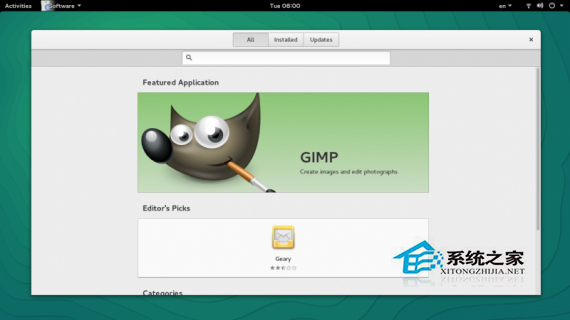
openSUSE 13.2 引入重大變更:Linux 3.16 核心、Btrfs 成為預設檔案系統、GNOME 3.14、YaST 專注 GRUB2、systemd 整合。升級核心流程:停用第三方倉庫 → 更新系統倉庫 URL 至 13.2 → zypper dup 執行發行版升級 → 重新啟用第三方倉庫。本文詳細記錄倉庫檢查、升級指令、驗證步驟。
zypper 效能優化、snapper 快照整合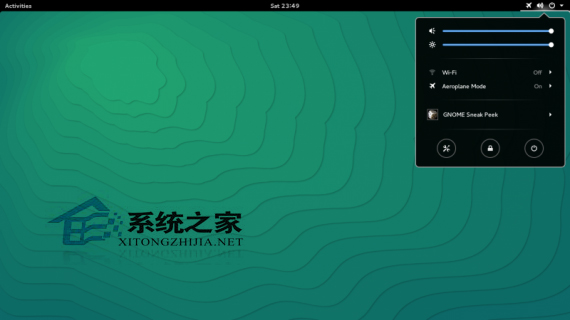
/etc, /home, 資料庫)cat /etc/os-release 應為 13.1zypper repos --uri
# 或 zypper lr -u輸出範例 (13.1 倉庫):
# | Alias | Name | Enabled | Refresh | URI
1 | openSUSE-13.1-1.10 | ... | Yes | No | cd://...
2 | repo-debug | openSUSE-13.1-Debug | No | Yes | https://download.opensuse.org/debug/distribution/13.1/repo/oss/
...
8 | repo-update | openSUSE-13.1-Update | Yes | Yes | https://download.opensuse.org/update/13.1/# 列出所有倉庫別名
zypper lr -a
# 停用非官方倉庫 (範例)
zypper mr -d home:user:repo
zypper mr -d multimedia:libs
# 保留 repo-oss, repo-non-oss, repo-update, repo-update-non-oss方法 A:sed 批次替換 (推薦)
# 備份
cp -r /etc/zypp/repos.d /etc/zypp/repos.d.bak

# 將所有啟用倉庫 URL 中的 13.1 替換為 13.2
sed -i 's/13\.1/13.2/g' /etc/zypp/repos.d/*.repo

# 驗證
zypper lr -u
方法 B:手動編輯 / 使用 YaST
# YaST 軟體倉庫模組
yast2 repositorieszypper ref
# 接受新的 GPG 金鑰提示 (信任 openSUSE 13.2 簽章金鑰)zypper dup
# 下載量通常 1-2 GB,建議穩定網路環境
# 過程中會詢問:
# - 接受新授權條款
# - 確認套件替換/移除/降級
# - 核心、systemd、grub2 關鍵套件更新rebootcat /etc/os-release
# VERSION="13.2 (Harlequin)"
uname -r
# 3.16.x
# 檢查 Btrfs 根分區
findmnt -n -o FSTYPE /
# 檢查 GNOME 版本
gnome-shell --version# 啟用
zypper mr -e repo_alias
# 重新整理並檢查更新
zypper ref && zypper lu
# 若倉庫無 13.2 版本,暫時保持停用,等待維護者更新| 問題 | 解決 |
|---|---|
zypper dup 卡住/衝突 | 檢查是否殘留第三方倉庫,全部停用後重試 |
| GPG 金鑰驗證失敗 | rpm --import /etc/pki/rpm-gpg/RPM-GPG-KEY-openSUSE-13.2 |
| GRUB2 未正確更新 | grub2-mkconfig -o /boot/grub2/grub.cfg 並 grub2-install /dev/sda |
| Btrfs 根分區快照佔用空間 | snapper list 檢查,snapper delete 清理舊快照 |
| 專有驅動 (NVIDIA) 失效 | 重新安裝對應 13.2 版本驅動,或暫用 Nouveau |
openSUSE 升級核心邏輯:停用第三方 → 官方倉庫 URL 13.1→13.2 → zypper ref → zypper dup → reboot → 驗證 → 逐一恢復第三方。Btrfs 預設帶來快照保護,升級失敗可透過 snapper rollback 秒級還原,大幅降低風險。
上一頁 1 2 下一頁 共 2 頁