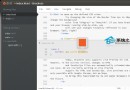
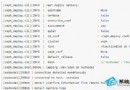
NeoBundle 是基於 Vundle 改良的 Vim 外掛管理器,支援 Git、Subversion、Mercurial 多種版控來源,可鎖定外掛版本避免自動更新破壞環境,但官方標示尚不穩定,生產環境建議優先考慮 Vundle 或 vim-plug。
# 需求:Vim 7.2.051+、git、curl
curl https://raw.githubusercontent.com/Shougo/neobundle.vim/master/bin/install.sh | sh
# 自動下載至 ~/.vim/bundle/neobundle.vim/if has('vim_starting')
set nocompatible
set runtimepath+=~/.vim/bundle/neobundle.vim/
call neobundle#begin(expand('~/.vim/bundle/'))
NeoBundleFetch 'Shougo/neobundle.vim'
call neobundle#end()
endif
filetype plugin indent on# 手動下載
curl -k https://github.com/tpope/vim-abolish > ~/.vim/bundle/abolish
# 註冊自動更新 (加在 NeoBundleFetch 之後)
NeoBundle 'tpope/vim-abolish'
# 鎖定特定版本 (避免破壞性更新)
NeoBundle 'Shougo/vimshell', { 'rev': '3787e5' }| 指令 | 功能 |
|---|---|
:NeoBundleInstall | 安裝/更新所有已註冊外掛 |
:NeoBundleUpdate | 同 Install,並重新安裝被手動刪除的外掛 |
:NeoBundleList | 列出未初始化的外掛 |
:NeoBundleClean | 互動式刪除未註冊的外掛目錄 |
:NeoBundleCheck | 檢查缺漏外掛並提示安裝 |

遷移建議: 若追求穩定,請改用 vim-plug (並行安裝、極簡配置、支援鎖版) 或 Vundle (成熟穩定、純 Git)。NeoBundle 適合願意嘗試新功能、需 SVN/Hg 支援的進階使用者。
CentOS 系統下在 Chrome 瀏覽器中啟用 Java 外掛程式的完整教學
如何在 Linux 系統中禁用 SCP 與 SFTP 命令以增強安全性
Linux 系統下 Hadoop DFS 常用命令完整操作指南
Ubuntu 安裝 Nvidia Optimus 雙顯卡切換驅動 (nvidia-prime) 完整指南
Linux 命令列建立 DMG 映像檔完整腳本流程:從版本號擷取到最終壓縮
Linux 建立與掛載 XFS 檔案系統完整教學:安裝工具、格式化、掛載、開機自動掛載
Linux 系統重啟/關機指令完整指南:shutdown、reboot、halt、systemctl、telinit 差異與最佳實務