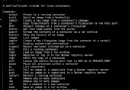
LXC 以輕量級容器技術共用宿主機核心,效能損耗極低。本文示範手動建立 /lxc/rootfs 目錄結構 (bin dev etc lib lib64 proc sbin sys usr var)、編寫 /lxc/fstab 以 bind 掛載宿主機目錄至 rootfs、撰寫 config 指定 lxc.rootfs 與 lxc.mount、執行 lxc-execute -n lxc1 -f config bash 進入容器驗證檔案系統隔離效果。
mkdir -p /lxc/rootfs/{bin,dev,etc,lib,lib64,proc,sbin,sys,usr,var}

# /lxc/fstab 內容
/bin   /lxc/rootfs/bin   none ro,bind 0 0
/sbin  /lxc/rootfs/sbin  none ro,bind 0 0
/lib   /lxc/rootfs/lib   none ro,bind 0 0
/lib64 /lxc/rootfs/lib64 none ro,bind 0 0
/etc   /lxc/rootfs/etc   none ro,bind 0 0
/usr   /lxc/rootfs/usr   none ro,bind 0 0
/dev   /lxc/rootfs/dev   none rw,bind 0 0
/dev/pts /lxc/rootfs/dev/pts none rw,bind 0 0
/proc  /lxc/rootfs/proc  proc defaults 0 0
/sys /lxc/rootfs/sys sysfs defaults 0 0# config 內容
lxc.utsname = host_name
lxc.rootfs = /lxc/rootfs
lxc.mount = /lxc/fstab
# 執行
lxc-execute -n lxc1 -f config bash
容器內僅可見 /lxc/rootfs 掛載的目錄,實現檔案系統級隔離。此為 LXC 手動構建 rootfs 基礎範例,生產環境建議使用 lxc-create 模板自動化。