MySQL 版本升級常因舊版 mysql-libs 共享函式庫衝突導致安裝失敗或服務無法啟動。核心解法是以 --nodeps 強制移除舊套件或 yum remove 清理後再安裝新版,並提供 mysql_upgrade 修復系統表的後續步驟。
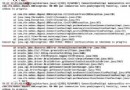
file /usr/lib64/mysql/libmysqlclient.so.16 from install of mysql-community-libs-5.6.x conflicts with file from package mysql-libs-5.0.95-5.el5.x86_64# 方法 A: rpm 強制移除 (不檢查相依)
rpm -e --nodeps mysql-libs-5.0.95-5.el5.x86_64
# 方法 B: yum 移除 (會處理相依,較安全)
yum -y remove mysql-libs-5.0.95*
# 之後安裝新版
rpm -ivh mysql-community-server-5.6.x.rpm
# 或
yum install mysql-community-servermysql_upgrade -u root -p"ROOT_PASSWORD"
# 範例
mysql_upgrade -uroot -p123456此指令會檢查並修復 mysql 系統資料庫的表結構 (如 mysql.servers、mysql.proc 等),解決「無法建立資料庫/使用者」等相容性問題。
yum install mariadb-serverWebmin 備份資料庫可能報錯但仍生成 SQL 檔;若發現權限問題,可手動執行 mysql_upgrade 或檢查 mysql.servers 表資料完整性。
Ubuntu 14.04/14.10 睡眠喚醒後滑鼠鍵盤失靈解決方案:重裝 xserver-xorg-input-all
Linux 磁碟與檔案管理核心指令大全:從裝置命名到分區實戰
Linux 雙伺服器 IP 無縫切換實戰:ifconfig 別名介面 + arping 免費 ARP 宣告秒級遷移
Linux 配置 Python 環境完整步驟(源碼編譯安裝 Python 2.7.3)
CentOS 6.6 圖形化安裝完整流程圖解 (最小記憶體 628MB、支援自訂分區)
Xshell 與 Xftp 遠程管理工具安裝與連線設定圖文教學