想換掉 Ubuntu 預設登入背景?本文教你透過 dconf-editor 以 lightdm 使用者身分修改 com.canonical.unity-greeter 的 background 鍵值指向自訂圖片路徑,並取消 draw-grid。操作需先給予 lightdm 存取 X Server 權限 (xhost +SI:localuser:lightdm),再切換至 lightdm 執行 dconf-editor 修改,重開機即生效。
sudo apt-get install dconf-editor(未安裝時)sudo -i 切換 rootxhost +SI:localuser:lightdmsu lightdm -s /bin/bashdconf-editor → 瀏覽 com → canonical → unity-greeterbackground 為圖片路徑,取消 draw-grid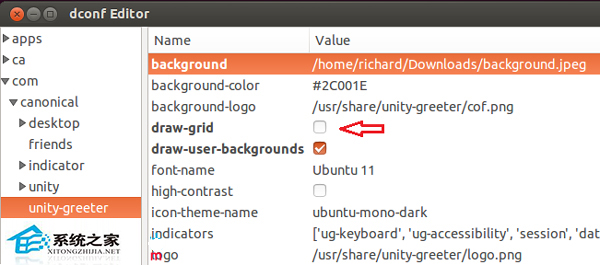
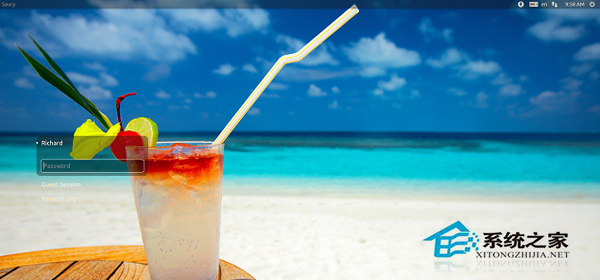
此法適用於使用 LightDM + Unity Greeter 的 Ubuntu 版本,讓每次開機都能見到專屬背景。