在 CentOS 6.3 等舊版本上部署 VNC Server 時,啟動服務常報 Could not start Xvnc 錯誤,核心原因是缺少關鍵圖形庫套件導致 Xvnc 二進制無法載入符號。本文提供精準的缺包診斷與一鍵修復方案。
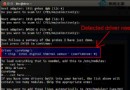
[root@localhost media]# service vncserver start
Starting VNC server: 1:root
WARNING: The first attempt to start Xvnc failed, possibly because the font
catalog is not properly configured. Attempting to determine an appropriate
font path for this system and restart Xvnc using that font path ...
Could not start Xvnc.
/usr/bin/Xvnc: symbol lookup error: /usr/bin/Xvnc: undefined symbol: pixman_composite_trapezoids
/usr/bin/Xvnc: symbol lookup error: /usr/bin/Xvnc: undefined symbol: pixman_composite_trapezoids
[FAILED]錯誤訊息 undefined symbol: pixman_composite_trapezoids 表明 Xvnc 依賴的 pixman 庫版本過舊或缺失對應符號。同時缺少 libXfont 導致字體目錄配置失敗,觸發雙重故障。
yum install -y pixman pixman-devel libXfont| 套件 | 作用 |
|---|---|
pixman | 提供像素操作核心庫,Xvnc 依賴其合成、陷阱繪製等符號 |
pixman-devel | 開發頭文件與靜態庫,確保運行時符號解析完整 |
libXfont | X11 字體庫,支援字體目錄掃描與字體路徑解析 |
service vncserver restart
# 預期輸出:Starting VNC server: 1:root [  OK  ]
ldd /usr/bin/Xvnc | grep -i pixman 確認動態鏈接正確指向 /usr/lib64/libpixman-1.so.0fc-cache -fv 刷新字體配置setenforce 0 測試,若恢復則需配置 vncserver 域策略或標註 /usr/bin/Xvnc 上下文pixman 版本不匹配,可 yum versionlock add pixman* 鎖定穩定版本yum groupinstall "X Window System" "Fonts" 部署完整圖形環境基礎套件tigervnc-server 替代舊版 vnc-server,前者積極維護、相容性更好yum update 保持圖形庫與內核協同演進通過補齊 pixman 與 libXfont 兩大核心依賴,即可徹底解決 CentOS 6 系列 VNC 啟動失效問題,快速恢復圖形化遠程桌面服務。
Linux strace 系統呼叫追蹤實戰指南:參數、輸出解讀與除錯案例
CentOS 编译安装 Lighttpd 1.4.x 完整步骤与配置部署
Linux 系統監控新選擇:dstat 安裝與欄位解讀完整指南
Debian 安裝閉源軟件包完整指南:啟用 contrib non-free 倉庫
Ubuntu 系統手動替換 Firefox 為 Nightly 每日建置版本教學
Linux 環境變數 LANG 與 NLS_LANG 區別深度解析:系統語系 vs Oracle 客戶端語系
Linux VirtualBox 自訂解析度:VBoxManage 命令列新增任意顯示模式 (如 2560x1440)
Linux 原始碼套件安裝完整指南:./configure、make、make install、前綴路徑、清理與解除安裝