在 Linux 系統中,讓資料庫等關鍵服務隨開機自動啟動,是維運自動化的基礎。本文以 IBM DB2 為例,詳細示範如何撰寫符合 LSB 標準的 init.d 啟動腳本,並註冊至系統服務管理機制。
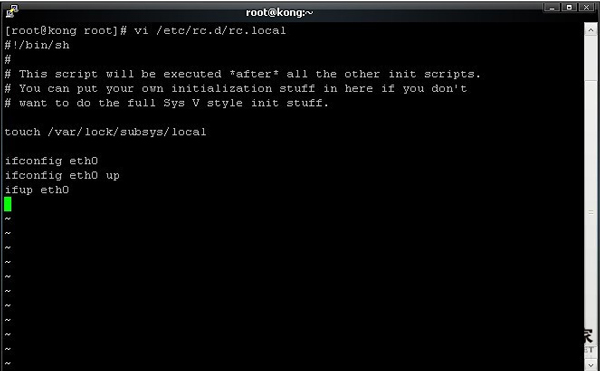
cd /etc/init.dvi startDB2#!/bin/sh
# chkconfig: 2345 99 01
# processname: IBM DB2
# description: DB2 database auto start/stop script
DB2_HOME="/home/db2inst1/sqllib" # DB2 實例 sqllib 路徑
DB2_OWNER="db2inst1" # DB2 實例擁有者帳號
case "$1" in
start)
echo -n "Starting IBM DB2: "
su - $DB2_OWNER -c "$DB2_HOME/adm/db2start"
touch /var/lock/subsys/db2
echo "OK"
;;
stop)
echo -n "Shutting down IBM DB2: "
su - $DB2_OWNER -c "$DB2_HOME/adm/db2stop"
rm -f /var/lock/subsys/db2
echo "OK"
;;
restart|reload)
$0 stop
$0 start
;;
*)
echo "Usage: $0 {start|stop|restart|reload}"
exit 1
;;
esac
exit 0# chkconfig: 2345 99 01:指定於 runlevel 2/3/4/5 啟動,啟動順序 99(較晚),關閉順序 01(較早)。su - $DB2_OWNER -c ... 切換至 DB2 實例擁有者執行啟停指令,確保環境變數正確。touch /var/lock/subsys/db2 建立鎖定檔,供 service --status-all 查詢服務狀態。chmod +x /etc/init.d/startDB2
chkconfig --add startDB2
chkconfig startDB2 on
service startDB2 start # 測試啟動
service startDB2 status # 檢查狀態此腳本架構通用於任何需以特定用戶身分啟動的服務(如 Oracle、WebLogic、Tomcat),只需修改 DB2_HOME、DB2_OWNER 及啟停指令即可。