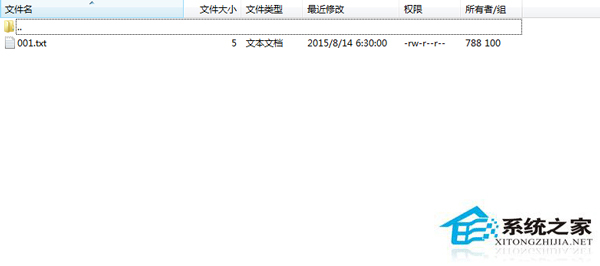
本地 2015-08-13 22:35 上傳,伺服器顯示 2015-08-14 06:30,相差 8 小時(時區差)。
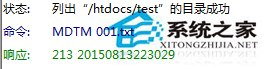
MDTM 檔案名
伺服器回傳 2015-08-13 22:30,與本地時間一致,時區同為東八區。
2015-08-13 22:30
伺服器實際儲存時間正確,顯示差異多為客戶端時區轉換或介面呈現問題,非檔案本身時間錯誤。
善用 MDTM 指令查詢伺服器原始時間戳,快速釐清「時間差 8 小時」真相,避免誤判檔案同步狀態。
MDTM
Linux more 指令完整操作指南:分頁檢視、搜尋、跳轉、編輯器呼出
Linux grub.conf 损坏丢失修复:救援模式重建配置与重装 GRUB 引导
Kali Linux 安裝 Chrome 瀏覽器常見問題與解決方案:Root 執行、選單缺失、沙箱衝突完整處理
Linux 刪除命令大比拼:rmdir 與 rm 的核心差異與實戰用法
Linux 命令列藝術:提升工程師生產力的實戰技巧精粹
Linux 多進程程式除錯實戰:GDB 核心技巧全解析
提升 Linux 下 Chrome 瀏覽器速度 6 招:更新、停用擴充功能、啟用快速關閉標籤等
Linux 檔案預設權限與隱藏權限深度解析:umask、ACL 與特殊位元完整指南