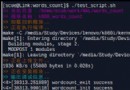
Linux 核心會將近期存取的檔案資料暫存於頁面快取,導致 free -h 顯示的 Cache 價值遠大於實體記憶體。本文實測驗證 「編輯大型檔案會大幅增加 Cache」,並介紹 linux-ftools 工具組精確分析哪些檔案佔用快取。



vi 開啟 110 MB 的 wildfly-8.1.0.Final.tar.gz。linux-fincore 確認快取內容確為該檔案。# 1. 下載原始碼並修正換行符 (Windows CRLF -> LF)
# 2. 賦予執行權限並編譯
chmod 755 -R *
./configure
make && make install
# 3. 分析目前目錄下被快取的檔案
linux-fincore --pages=false --summarize --only-cached *
filename                       size  total_pages  cached_pages  cached_size  cached_perc
wildfly-8.1.0.Final.tar.gz   115MB      28320           28320       115MB       100.00
total cached size: 115MB
結論:Linux 會將編輯器載入的檔案完整放入頁面快取,這屬正常行為。核心會在記憶體壓力大時自動回收快取,無需人為清理。若確需釋放,可參考《如何清理 Linux 中的 swap、buffer 及 cache》。
RedHat/CentOS 安装 Fluentd 日志收集器:从 Ruby 环境准备到 Gem 安装
Ubuntu 解決「can't find libjava.so」錯誤:使用 PPA 安裝 Oracle Java 8 避免手動配置坑
Linux Vim Tab 鍵寬度調整技巧:設定 tabstop、shiftwidth、expandtab 完整指南
Linux 備份 ifcfg-eth0 導致網卡無法綁定 IP?Oracle Linux 5.7 實戰排查
Linux 終端模擬 HTTP GET/POST 請求:curl 與 wget 實戰範例
Ubuntu 10.10 安裝 GNU Fortran 77 (g77) 編譯器:舊版相容性需求下的 apt 源擴展與 aptitude 解決相依