在 Ubuntu GNOME 環境下,部分手動安裝的軟體(如 MATLAB)缺少 .desktop 檔案,導致無法在應用程式選單中搜尋啟動。本文教您建立自訂啟動器並指定圖示,讓任何執行檔都能整合進桌面環境。
# 複製圖示至系統圖示目錄(建議使用 SVG 或高解析度 PNG)
sudo cp matlab.png /usr/share/icons/hicolor/scalable/apps/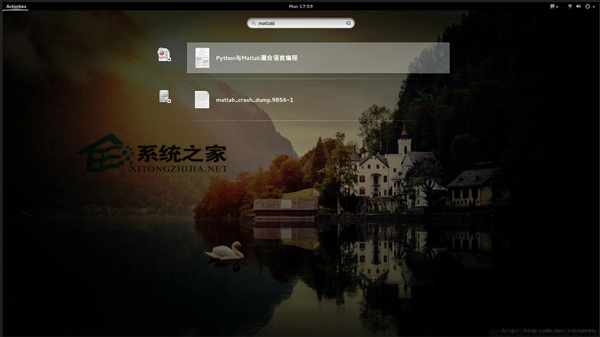
新建 matlab.desktop,內容如下:
[Desktop Entry]
Version=7.12.0.635 (R2011a)
Name=MATLAB
GenericName=MATLAB
Comment=MATLAB R2011a Version
Exec=/usr/matlab/bin/matlab -desktop %F
TryExec=matlab
Icon=/usr/share/icons/hicolor/scalable/apps/matlab.png
Type=Application
Terminal=false
Categories=Development;Science;Math;
關鍵欄位說明:
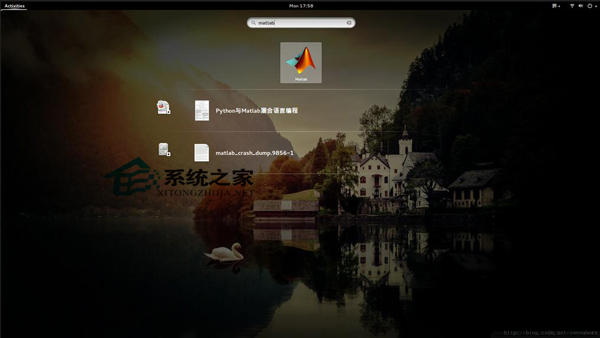
Exec:實際執行指令,%F 代表支援檔案參數Icon:圖示絕對路徑Categories:決定在選單中的分類位置sudo cp matlab.desktop /usr/share/applications/按 Super 鍵開啟活動總覽,輸入「MATLAB」即可搜尋到並啟動,圖示正常顯示。
此方法適用於任何缺少桌面整合的手動安裝軟體,只需準備圖示與編寫 .desktop 檔即可。