想讓 Windows XP 擁有 Vista 風格的視覺體驗?利用 IconPackager 即可輕鬆套用完整圖示主題。以下說明兩種常見圖示主題格式與安裝方式:
兩種主流圖示主題格式
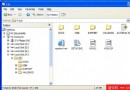
- 分散式格式(資料夾內含 .ico/.icl + .iptheme 定義檔):圖示檔案較多,需將整個資料夾置於 IconPackager 的
Themes 目錄下。
- 封裝式格式(單一 .ip 檔):IconPackager 專用壓縮包,雙擊即可自動解壓安裝至
Themes 目錄並載入,原 .ip 檔位置不影響使用。
套用與安裝步驟
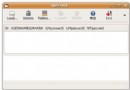
- 啟動 IconPackager,介面左側列出已安裝主題。
- 選中想要的主題,點擊下方 「Apply」 即時套用。
- 若有外部下載的主題,點擊 「Install New Package」 → 「Install from disk」,選擇
.ip 檔或包含 .iptheme 的資料夾即可安裝。
IconPackager 內建數款主題,亦可從網路下載 Vista、Windows 7 等風格的圖示包,打造個性化桌面環境。