Windows XP Windows 7 Windows 2003 Windows Vista Windows 綜合教學 Linux 系統教學
Windows 10 Windows 8 Windows 2008 Windows NT Windows Server 電腦軟體教學

Windows XP 工作列群組功能進階調整:註冊表自訂群組門檻與排序

編輯:XP 系統基礎知識

預設行為

XP 工作列自動將同類程式視窗群組顯示,預設按開啟時間排序 (最早開啟在前)。

註冊表自訂群組規則

  1. regedit → HKEY_CURRENT_USER\SOFTWARE\Microsoft\Windows\CurrentVersion\Explorer\Advanced
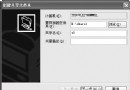
  2. 新增 DWORD 值 TaskbarGroupSize,設定值:
  • 0 = 依開啟時間排序 (預設)
  • 1 = 依視窗大小排序 (最大在前)
  • 2 = 兩個以上同類視窗即群組
  • 3 = 三個以上同類視窗才群組
  • 重新登入或重開機生效。
  • 應用場景

    • 習慣大視窗優先 → 設 1。
    • 不想過早群組 → 設 3 保持獨立按鈕較久。

    注意

    此設定僅影響當前使用者,若需全域生效請至 HKEY_LOCAL_MACHINE 同路徑設定。

    Copyright © Windows教程網 All Rights Reserved