針對 CPU 366MHz 等級老舊機器,透過停用非必要服務、關閉內建功能、減少開機掃描等待,能顯著提升開機速度與系統回應。以下是實測有效的優化清單:
快速指令優化
- 關閉 ZIP 資料夾支援:
regsvr32 /u zipfldr.dll
- 歸零開機磁碟掃描等待:
chkntfs /t:0
- 刪除系統備份檔釋放空間:
sfc.exe /purgecache(約釋放百 MB,僅節省空間不加速)
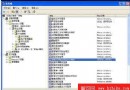
服務管理(services.msc)逐項建議
每項服務屬性中可設「停用」、「手動」、「自動」。以下標註 可停用 者為非必要服務,停用可釋放記憶體與 CPU 資源:
- Alerter(錯誤警示) - 可停用
- Application Layer Gateway Service(第三方網路共享/防火牆支援,佔 1.5MB) - 可停用
- Automatic Updates - 可停用
- Background Intelligent Transfer Service(BITS,支援 Windows Update 斷點續傳)
- ClipBook(區網共享剪貼簿) - 可停用
- COM+ Event System / Application(檢查
C:\Program Files\ComPlus Applications 為空則可停用) - 可停用
- Computer Browser(瀏覽區網電腦,關閉不影響瀏覽) - 可停用
- Cryptographic Services(Windows Update 驗證檔案指紋,更新時再啟用) - 可停用
- DHCP Client(靜態 IP/ADSL 撥號用戶需啟用)
- Distributed Link Tracking Client(區網捷徑追蹤,佔 4MB) - 可停用
- Distributed Transaction Coordinator - 可停用
- DNS Client - 可停用
- Error Reporting Service - 可停用
- Event Log(系統日誌,**重要**,保留)
- Fast User Switching Compatibility - 可停用
- Help and Support - 可停用
- Human Interface Device Access(多媒體鍵盤支援) - 可停用
- IMAPI CD-Burning COM Service(XP 內建燒錄,用 Nero 等軟體者 - 可停用,佔 1.6MB)
- Indexing Service(XP 減速元兇) - 可停用
- Internet Connection Firewall (ICF)(XP 防火牆,不用可停用)
- IPSEC Services - 可停用
- Logical Disk Manager / Administrative Service(磁碟管理,需時自動啟動) - 可停用
- Messenger(非 MSN,防騷擾 - 可停用)
- MS Software Shadow Copy Provider - 可停用
- Net Logon(網域控制站用) - 可停用
- NetMeeting Remote Desktop Sharing - 可停用
- Network Connections(上網/區網**必須啟用**)
- Network DDE / DSDM - 可停用
- Network Location Awareness - 可停用
- NT LM Security Support Provider(Telnet 服務用) - 可停用
- NVIDIA Driver Helper Service - 可停用
- Performance Logs and Alerts(視需求決定)
- Plug and Play(即插即用,**核心服務**,保留)
- Portable Media Serial Number - 可停用
- Print Spooler(無印表機 - 可停用)
- Protected Storage(儲存密碼/自動完成,**建議保留**)
- QoS RSVP(傳聞降低網速 20%) - 可停用
- Remote Access Auto Connection Manager(寬帶/共享需啟用)
- Remote Desktop Help Session Manager(遠端協助,佔 4MB) - 可停用
- Remote Procedure Call (RPC)(系統核心,**必須保留**)
- Remote Procedure Call Locator(佔 1MB) - 可停用
- Remote Registry(遠端登錄修改,漏洞來源) - 可停用
- Removable Storage(磁帶備份用) - 可停用
- Routing and Remote Access - 可停用
- Secondary Logon - 可停用
- Security Accounts Manager(配合 Protected Storage/IIS)
- Server(區網檔案/列印共享,無需求 - 可停用)
- Shell Hardware Detection(自動播放 USB/光碟)
- Smart Card / Helper(佔 1.4MB) - 可停用
- SSDP Discovery Service - 可停用
- System Event Notification - 可停用
- System Restore Service(系統還原,吃資源怪獸,視需求決定) - 可停用
- Task Scheduler - 可停用
- TCP/IP NetBIOS Helper(不使用 NetBIOS/WINS - 可停用)
- Telephony(撥號服務,ADSL 不撥號者 - 可停用)
- Telnet(漏洞來源,佔 2MB) - 可停用
- Terminal Services(遠端桌面/快速切換,不用 - 可停用)
- Themes(XP 主題,關閉變經典風格) - 可停用
- Uninterruptible Power Supply - 可停用
- Universal Plug and Play Device Host - 可停用
- Upload Manager - 可停用
- Volume Shadow Copy - 可停用
- WebClient - 可停用
- Windows Audio(喜歡無聲者 - 可停用)
- Windows Installer(MSI 安裝服務,**建議設為手動**)
- Windows Image Acquisition (WIA)(掃描器/數碼相機) - 可停用
- Windows Management Instrumentation(WMI,**重要**,關閉會出怪問題)
原則:不確定的服務設為「手動」,視實際使用情況調整。適度精簡能让老电脑焕发新生。