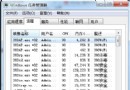
svchost.exe 進程 CPU 長期高佔用,停用「自動更新」服務後症狀消失,確認為 Automatic Updates (AU) 服務觸發。
svchost.exe PIDtasklist /m wuaueng.dll → 查看載入 wuaueng.dll 的 svchost PID 是否吻合wuauclt /detectnow 強制檢測更新,觀察該 PID CPU 是否飆升下載連結:https://support.microsoft.com/kb/927891
此修正解決 AU 服務掃描更新時 CPU 飆升問題。
若 KB927891 無效,安裝最新 WU Agent:
微軟知識庫:KB927891