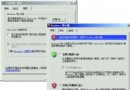
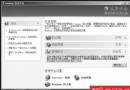
預設僅有「開啟」、「清空資源回收筒」、「內容」。欲新增「複製」、「剪下」、「重新命名」等:
登錄表:HKEY_CLASSES_ROOT\CLSID\{645FF040-5081-101B-9F08-00AA002F954E}\ShellFolder
修改 Attributes 值,屬性數值組合對照:
| 數值 | 功能 |
|---|---|
| 00 | 開啟 |
| 01 | 複製 |
| 02 | 剪下 |
| 03 | 複製+剪下 |
| 10 | 重新命名 |
| 20 | 刪除 |
| 30 | 重新命名+刪除 |
| 40 | 內容 |
| 50 | 重新命名+內容 |
| 60 | 刪除+內容 |
| 53 | 複製、剪下、重新命名、內容 |
| 63 | 刪除、內容、複製、剪下 |
| 73 | 重新命名、刪除、內容、複製、剪下(全功能) |
建議設為 73 01 00 20(十六進位),重開機生效。
登錄表:HKEY_CLASSES_ROOT\*\ShellEx\ContextMenuHandlers
新建主鍵:{645FF040-5081-101B-9F08-00AA002F954E}
重開機後,任何檔案/資料夾右鍵選單皆出現「清空資源回收筒」選項。