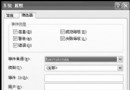
控制台 → Windows 防火牆 點擊後報錯:「由於無法識別的問題,Windows 無法顯示 Windows 防火牆設定」。
共用存取服務 (SharedAccess) 的登錄機碼損毀或遺失,導致防火牆核心元件無法載入。
Sharedaccess.reg:Windows Registry Editor Version 5.00
[-HKEY_LOCAL_MACHINE\SYSTEM\CurrentControlSet\Services\SharedAccess]
[HKEY_LOCAL_MACHINE\SYSTEM\CurrentControlSet\Services\SharedAccess]
"DependOnGroup"=hex(7):00,00
"DependOnService"=hex(7):4e,00,65,00,74,00,6d,00,61,00,6e,00,00,00,57,00,69,00,6e,00,4d,00,67,00,6d,00,74,00,00,00,00,00
"Description"="Provides network address translation, addressing, name resolution and/or intrusion prevention services for a home or small office network."
"DisplayName"="Windows Firewall/Internet Connection Sharing (ICS)"
"ErrorControl"=dword:00000001
"ImagePath"=hex(2):25,00,53,00,79,00,73,00,74,00,65,00,6d,00,52,00,6f,00,6f,00,74,00,25,00,5c,00,73,00,79,00,73,00,74,00,65,00,6d,00,33,00,32,00,5c,00,73,00,76,00,63,00,68,00,6f,00,73,00,74,00,2e,00,65,00,78,00,65,00,20,00,2d,00,6b,00,20,00,6e,00,65,00,74,00,73,00,76,00,63,00,73,00,00,00
"ObjectName"="LocalSystem"
"Start"=dword:00000002
"Type"=dword:00000020
...(完整機碼請參考微軟 KB920074 或本文原始碼)cmd → 執行 netsh firewall reset 重置防火牆規則。firewall.cpl 驗證防火牆介面正常開啟。若不想手動建立 .reg 檔,可下載微軟官方「Windows Firewall/ICS 修復工具」或使用 sfc /scannow 修復系統檔案(需安裝光碟)。
HKEY_LOCAL_MACHINE\SYSTEM\CurrentControlSet\Services\SharedAccess)。