Windows XP Windows 7 Windows 2003 Windows Vista Windows 綜合教學 Linux 系統教學
Windows 10 Windows 8 Windows 2008 Windows NT Windows Server 電腦軟體教學

限時、斷網、禁攝影機:三招讓電腦「自廢武功」家長控制實作 (1/2)

編輯:XP 系統基礎知識

第一招:一行指令限制帳號登入時間

net user boy 123 /add /times:SA-SU,08:00-22:00
  • 建立帳號 boy 密碼 123,僅允許週六、日 08:00~22:00 登入。
  • 其他時段登入直接拒絕。
  • net user boy 可查看詳細登入時段設定。

第二招:硬體設定檔「廢」掉攝影機

  1. net user ABC 123456 /add 建立小孩受限帳號。
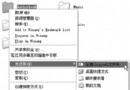
  2. 管理員登入 → 我的電腦右鍵 → 內容 → 硬體 → 硬體設定檔 → 複製 Profile 1 為 Profile 2。
  3. 等待選單時間設 1 秒 (預設 30 秒太久)。
  4. 重開機 → 選單預設載入 Profile 1 (攝影機停用);家長選 Profile 2 正常使用。

原理說明

硬體設定檔可為同一台電腦定義多組裝置啟用/停用狀態。Profile 1 停用攝影機,Profile 2 啟用。開機選單讓使用者 (或預設) 選擇載入哪組設定,達到「同一台電腦、不同使用者、不同硬體權限」的效果。

下集預告

下集將示範:排程工作自動斷網腳本 (止.bat) + 雙重排程產生「六脈神劍」間歇斷網效果,完成時間、硬體、網路三維管控體系。

Copyright © Windows教程網 All Rights Reserved