「顯示桌面」不是普通快捷方式,而是 .scf (Shell Command File) 系統文件,普通複製/建立快捷方式無效。
[Shell]
Command=2
IconFile=explorer.exe,3
[Taskbar]
Command=ToggleDesktop
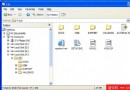
Show Desktop.scf(**文件名必須完全一致,含大小寫、空格、擴展名**)。C:\Documents and Settings\用戶名\Application Data\Microsoft\Internet Explorer\Quick Launch\.scf 文件由 Explorer 解析執行 ToggleDesktop 命令,IconFile 指定圖標資源(explorer.exe 第 3 個圖標),屬於系統級 UI 元素而非用戶級快捷方式。