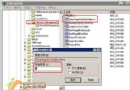
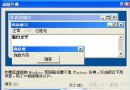
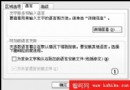
正常/非正常關機都觸發 D 槽掃描,通常是檔案系統髒旗殘留。若硬碟無壞軌,可透過註冊表停用開機自動掃描:
regedit
HKEY_LOCAL_MACHINE\SYSTEM\CurrentControlSet\Control\Session Manager
BootExecute
autocheck autochk *
提醒:若硬碟真有錯誤,建議先用 chkdsk /r 修復再停用自動掃描,避免錯誤累積導致資料遺失。
chkdsk /r
Windows XP 找回遺失的語言列/輸入法圖示完整指南
Windows XP 自訂桌面:將相片變成可拖曳、縮放的桌面元件
突破 Windows XP 遠程桌面單用戶限制:WinConnect Server 實現多用戶並發登入
Windows XP 預設設定藏安全隱患?7 項必改設定保護隱私與資料
Windows XP 開機自動開啟小鍵盤數字鎖定功能
取消 Windows XP 磁碟掃描前的 10 秒倒數等待:CHKNTFS /T:0 一指令搞定
公用電腦必學:群組原則/登錄檔隱藏螢幕保護程式設定
用 USB 隨身碟安裝 Windows XP:筆記本無光碟機也能輕鬆重灌