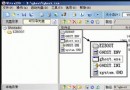
電腦教室學生亂改檔案屬性造成管理困擾,可透過登錄表禁止:
HKEY_CURRENT_USER\Software\Microsoft\Windows\CurrentVersion\Policies\Explorer
或
HKEY_LOCAL_MACHINE\Software\Microsoft\Windows\CurrentVersion\Policies\Explorer
右側新建/修改 DWORD NoFileAssociate = 1(1=禁止修改屬性,0=允許)。
儲存 → 重開機生效。
此設定可防止一般使用者在總管中更改檔案/資料夾屬性(唯讀、隱藏、系統、封存),適合教室、公共電腦等受管環境。