工具簡介
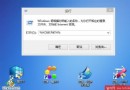
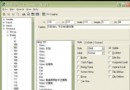
- 名稱: Active@ Password Changer
- 特點: 免費、DOS 環境執行、支援 Windows 2000/XP/2003、檔案僅 27 KB
- 下載: 官方下載頁
使用流程
- 解壓縮得到
DOSpass.exe,製作 DOS 開機碟/USB 或進入復原主控台。
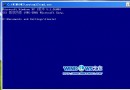
- 在 DOS 提示字元執行
DOSpass。
- 選單 Your choice: [ ] 輸入
1(選擇邏輯磁碟) → Enter。
- 顯示分割區表 → Enter 繼續。
- 偵測到 SAM 資料庫 → Enter 繼續。
- 列出所有使用者帳號,Your choice: [ ] 輸入管理員對應序號(通常為 0) → Enter。
- 提示 Would you like to Reset this User's password? (Y,N)[N]: 輸入
Y → Enter。
- 顯示 Password has been successfully reset. 按任意鍵重開機。
- 進入系統,管理員帳號密碼已清空,直接登入。
注意事項
- 僅適用於本機實體存取,遠端無效。
- 操作前建議備份重要資料,雖工具只修改 SAM 檔案風險極低。
- 若系統啟用 Syskey 強加密,此工具可能無效,需搭配其他方式。
結語:遺忘管理員密碼時,Active@ Password Changer 是輕量、免費、高成功率的救援利器,建議收藏備用。