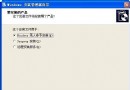
記事本開啟 C:\Windows\inf\sysoc.inf,編輯→取代,尋找 ,HIDE 替換為空白,全數取代存檔。重開「新增/移除程式」→「新增/移除 Windows 元件」即見所有隱藏項目。
登錄 HKEY_LOCAL_MACHINE\SOFTWARE\Microsoft\Windows NT\CurrentVersion\AeDebug\Auto 改為 0,檢視→重新整理生效。縮短程式當機等待時間。
右鍵「我的電腦」→屬性→系統還原→勾選「在所有磁碟機上關閉系統還原」。省下大量磁碟空間。
控制台→電源選項→休眠→取消勾選「啟用休眠」。釋放等同實體記憶體大小的磁碟空間(hiberfil.sys)。
登錄 HKEY_LOCAL_MACHINE\SYSTEM\CurrentControlSet\Control\FileSystem 新增 DWORD NtfsDisableLastAccessUpdate=1。大分區顯著減少寫入 I/O。
執行 regsvr32 /u zipfldr.dll,確認「DllUnregisterServer 成功」。釋放系統資源。
控制台→系統→進階→錯誤回報→「停用錯誤回報」。
登錄 HKEY_CURRENT_USER\Software\Microsoft\Windows\CurrentVersion\Policies\Explorer 新增二進位值 ClearRecentDocsOnExit=01 00 00 00(關閉為 00 00 00 00)。
| 服務 | 建議 | 備註 |
|---|---|---|
| Alerter | 已停用 | 家用無網域警示需求 |
| Application Layer Gateway Service | 手動 | 不使用 ICS/ICF 可關閉 |
| Application Management | 手動 | 軟體指派/發佈服務 |
| Automatic Updates | 已停用 | 改手動至 Windows Update 網站更新 |
| Background Intelligent Transfer Service | 已停用 | Windows Update 背景下載用 |
| ClipBook | 已停用 | 遠端剪貼簿共享,家用無需 |
| COM+ Event System | 手動 | 部分程式需 COM+ 元件 |
| COM+ System Application | 手動 | COM+ 元件管理 |
| Computer Browser | 手動 | 非網域環境無需 |
| Cryptographic Services | 手動 | WHQL 驗證、自動更新需用 |
| DHCP Client | 手動 | 靜態 IP 環境可停用 |
| Distributed Link Tracking Client | 已停用 | 區域網檔案連結維護 |
| Distributed Transaction Coordinator | 已停用 | 資料庫/訊息佇列分散式交易 |
| DNS Client | 手動 | IPsec 需用,純靜態 IP 可停用 |
| Error Reporting Service | 已停用 | 微軟錯誤回報 |
| Event Log | 自動 | 系統日誌核心,保留 |
| Fast User Switching Compatibility | 手動 | 切換使用者功能 |
| Help and Support | 手動 | 說明中心,視習慣決定 |
完整清單含 40 項,原則:核心服務(RPC、Plug and Play、Event Log、Protected Storage)設自動;網路/列印/遠端/索引等視實際使用設手動或停用;不明服務建議設手動保留彈性。