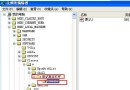
透過註冊表直接調整 XP 系統行為,比圖形介面更徹底、可腳本化部署。以下為常用優化項目(均為 .reg 格式,匯入生效):
關閉陰像、字型平滑、視窗動畫、工作列動畫、圖示水印/透明/陰影
[HKEY_CURRENT_USER\Software\Microsoft\Windows\CurrentVersion\Explorer\VisualEffects]
"VisualFXSetting"=dword:00000002
[HKEY_CURRENT_USER\Control Panel\Desktop]
"DragFullWindows"="0"
"FontSmoothing"="2"
"UserPreferencesMask"=hex:b0,12,01,80
"MinAnimate"="0"
"DefaultApplied"=dword:00000001
[HKEY_CURRENT_USER\Software\Microsoft\Windows\CurrentVersion\Explorer\Advanced]
"WebView"=dword:00000000
"TaskbarAnimations"=dword:00000000
"ListviewWatermark"=dword:00000000
"ListviewAlphaSelect"=dword:00000000
"ListviewShadow"=dword:00000000
[HKEY_CURRENT_USER\Software\Microsoft\Windows\CurrentVersion\Explorer\CabinetState]
"Settings"=hex:0c,00,02,00,1b,01,e5,77,60,00,00,00
"FullPath"=dword:00000001
"FullPathAddress"=dword:00000001
"Use Search Asst"="no"
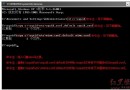
REG ADD "HKCU\Software\Microsoft\Windows\CurrentVersion\Policies\Explorer" /V NoDrives /T REG_DWORD /D 20 /FREG DELETE "HKCU\Software\Microsoft\Windows\CurrentVersion\Policies\Explorer" /V NoDrives /F 並重啟 Explorer。NoViewOnDrive = 4;解除同理刪除鍵值。隱藏:REG ADD "HKCU\Software\Microsoft\Windows\CurrentVersion\Policies\Explorer" /V NoFolderOptions /T REG_DWORD /D 1 /F 顯示:REG DELETE ... /V NoFolderOptions /F 並重啟 Explorer
禁用:REG ADD "HKCU\Software\Policies\Microsoft\MMC" /V RestrictAuthorMode /T REG_DWORD /D 1 /F
解除:REG DELETE "HKCU\Software\Policies\Microsoft\MMC" /F
修改後需重新登入或重啟 explorer.exe 生效。建議先備份註冊表,謹慎操作。