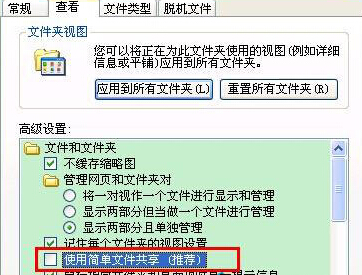
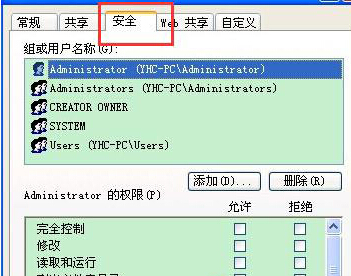
XP 保護重要資料夾權限設定:
三步完成資料夾級存取控制,保護隱私資料。
XP 與 Win 7 雙系統安裝全攻略:硬碟安裝與光碟安裝雙軌並行
Windows XP 關機故障全解析:關機變重啟、藍屏死機、無法切斷電源、常見硬體驅動衝突
Windows 无法启动?十大急救方案全解析
Windows XP 下 IPv6 協定堆疊完整命令參考
無盤站 Windows 95 登錄檔過大無法開機?註冊表替換法完美解決
微軟官方部落格詳解 Windows 8 CP 版 IE10 全新特性
微軟安全報告:Windows 7 比 XP SP3 更安全,64 位元版感染率最低
雨林木風 XP 系統關機無法斷電修復:hal.dll 替換實戰記錄