開機出現「BOOT.INI 非法」或「找不到 BOOT.INI」訊息,通常是該檔案遺失、損毀或參數錯誤。以下提供兩種修復方式:
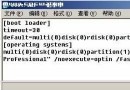
partition(1) 與 \WINDOWS 路徑):[boot loader] timeout=30 default=multi(0)disk(0)rdisk(0)partition(1)\WINDOWS [operating systems] multi(0)disk(0)rdisk(0)partition(1)\WINDOWS="Microsoft Windows XP Professional" /fastdetect
cd \
attrib -h -r -s boot.ini
del boot.ini
copy D:\i386\boot.ini c:\  (或從其他備份來源複製)
attrib +h +r +s boot.ini
注意:光碟機代號可能非 D:,請以實際狀況調整。
timeout:選單等待秒數,建議 30 秒。default:預設啟動項,指向作業系統所在分區與目錄。multi(0)disk(0)rdisk(0)partition(1):第一顆硬碟第一個分區(C:)。若系統裝在 D:,請改為 partition(2)。/fastdetect:略過硬體偵測加快啟動。修復完成後,系統應能正常顯示開機選單並正確載入 Windows。