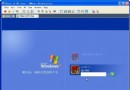
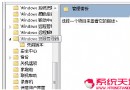
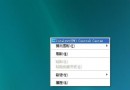
當 Windows XP 因登錄檔損毀而無法啟動時,螢幕通常會顯示「Windows XP could not start because the following file is missing or corrupt: \WINDOWS\SYSTEM32\CONFIG\SYSTEM」或類似的錯誤訊息。本文提供兩階段修復方案:首先透過修復主控台還原初始安裝時的登錄檔以讓系統能開機,再利用系統還原備份找回較新的設定。雖無法保證 100% 還原至故障前狀態,但能最大程度保全資料。
Windows XP could not start because the following file is missing or corrupt: \WINDOWS\SYSTEM32\CONFIG\SYSTEMWindows XP could not start because the following file is missing or corrupt: \WINDOWS\SYSTEM32\CONFIG\SOFTWAREStop: c0000218 {Registry File Failure} The registry cannot load the hive (file): \SystemRoot\System32\Config\SOFTWARESystem error: Lsass.exe - When trying to update a password the return status indicates that the value provided as the current password is not correct.此階段會建立一個臨時資料夾備份現有登錄檔,刪除損毀的登錄檔,並從 C:\Windows\Repair 複製安裝時的原始登錄檔到 System32\Config。完成後系統可啟動,但安裝後的所有變更將遺失。
md tmp
copy c:\windows\system32\config\system c:\windows\tmp\system.bak
copy c:\windows\system32\config\software c:\windows\tmp\software.bak
copy c:\windows\system32\config\sam c:\windows\tmp\sam.bak
copy c:\windows\system32\config\security c:\windows\tmp\security.bak
copy c:\windows\system32\config\default c:\windows\tmp\default.bak

delete c:\windows\system32\config\system
delete c:\windows\system32\config\software
delete c:\windows\system32\config\sam
delete c:\windows\system32\config\security
delete c:\windows\system32\config\default

copy c:\windows\repair\system c:\windows\system32\config\system
copy c:\windows\repair\software c:\windows\system32\config\software
copy c:\windows\repair\sam c:\windows\system32\config\sam
copy c:\windows\repair\security c:\windows\system32\config\security
copy c:\windows\repair\default c:\windows\system32\config\default
exit 離開修復主控台,電腦將重新啟動。C:\Windows,若安裝在其他資料夾請自行調整路徑。
若有另一台電腦可用,可將上述指令存為 Regcopy1.txt,在修復主控台執行 batch regcopy1.txt 一鍵完成所有指令。
此階段需以系統管理員身分登入 Windows(Home Edition 需進入安全模式)。目標是從 System Volume Information 內的還原點提取較新的登錄檔備份,取代第一階段複製的出廠版登錄檔。
System Volume Information 資料夾(灰色超級隱藏資料夾)。_restore{GUID} 資料夾,展開後會看到 RPx 開頭的還原點資料夾。Snapshot 子資料夾。路徑範例:C:\System Volume Information\_restore{D86480E3-73EF-47BC-A0EB-A81BE6EE3ED8}\RP1\SnapshotC:\Windows\Tmp:_REGISTRY_USER_.DEFAULT_REGISTRY_MACHINE_SECURITY_REGISTRY_MACHINE_SOFTWARE_REGISTRY_MACHINE_SYSTEM_REGISTRY_MACHINE_SAMDEFAULT、SECURITY、SOFTWARE、SYSTEM、SAMSystem Volume Information 建立新的 GUID 資料夾,因此絕不可使用最新的還原點資料夾。
C:\Windows\Tmp 中的 5 個檔案覆蓋 C:\Windows\System32\Config:copy c:\windows\tmp\system c:\windows\system32\config\system
copy c:\windows\tmp\software c:\windows\system32\config\software
copy c:\windows\tmp\sam c:\windows\system32\config\sam
copy c:\windows\tmp\security c:\windows\system32\config\security
copy c:\windows\tmp\default c:\windows\system32\config\default
exit 重新啟動,系統應可載入較完整的登錄檔啟動。若系統磁碟為 NTFS 格式,預設無法在修復主控台直接存取 System Volume Information。請參考 Microsoft 知識庫 KB309531 取得存取權限,或於第二階段在 Windows 環境下完成檔案複製後再進入修復主控台寫回。
修復完成後,建議立即備份重要資料,並執行 sfc /scannow 檢查系統檔案完整性。若問題頻繁發生,請考慮安裝 Microsoft 修補程式(KB318159)或重新安裝系統。