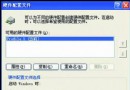
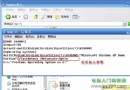
病毒替換 explorer.exe 會造成桌面無法顯示或卡在歡迎畫面。解決:從正常電腦複製 explorer.exe 回原機。
explorer.exe
預防措施:
C:\Windows\System32\dllcache
sfc /scannow
gpedit.msc
補充:替換系統檔案版本號最好一致,否則可能引發奇異錯誤 (如撥號錯誤 5)。
WinXP 純淨版開機彈出「尋找新硬體精靈」?停用無驅動裝置或裝驅動精靈解決
檔案伺服器容量工具 (FSCT) 實戰指南:效能基準測試與負載模擬
無光碟機筆記本必學:使用 USB 隨身碟安裝 Windows XP 完整教學
WinXP 玩《帝國時代 2》花屏?將色彩品質調為 16 位元即可解決
WinXP無法執行3D遊戲?啟用硬體加速一鍵解決
XP SP2 安全中心誤報「防毒未啟用」?三招關閉紅盾牌警告
Windows XP 磁碟重組工具提示「偵測到 Chkdsk 排程在磁碟區執行」?分階段修復流程徹底解決
快速關機隱藏傷害:為何「一鍵關機」會導致資料遺失與系統錯誤