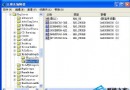
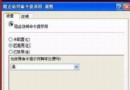
安裝程序報錯:不能訪問 Windows Installer 服務…請聯系支持人員 或 服務狀態為停止,不能啟動。
msiexec /unregserver   註銷當前 Installer 服務
msiexec /regserver     重新註冊 Installer 服務
多數情況下即可恢復正常。
services.msc → 檢查 Windows Installer 服務是否為「手動」且可啟動;WindowsInstaller-KB893803-v2-x86.exe (Windows Installer 3.1/4.5);ikernel.exe (InstallShield 引擎殘留);C:\Program Files\Common Files\InstallShield\Engine 目錄;sfc /scannow 修復損壞系統文件。Windows Installer 是 MSI 包的執行引擎,其註冊信息損壞或服務異常會導致所有 MSI 安裝失效。msiexec /regserver 重寫註冊表關鍵鍵值,sfc 替換損壞的 msi.dll 等核心文件,雙管齊下極大概率修復。