XP 內建無線網路設定精靈,8 個步驟快速完成基礎架設:
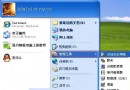
- 「開始」→「設定」→「控制台」→「網路連線」。
- 右鍵「無線網路連線」→「內容」。
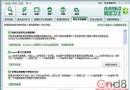
- 「無線網路設定」分頁→勾選「使用 Windows 設定我的無線網路設定」啟用自動設定。
- 點「進階」→選「僅電腦對電腦 (特定)」實現 Ad-hoc 直連。
- 或選「任何可用網路 (偏好存取點)」保留基礎架構模式優先。
- 優先嘗試連接存取點 (AP);AP 不可用時自動切換 Ad-hoc。
- 攜帶筆電在 AP 與 Ad-hoc 環境移動時,自動調整參數無縫切換。
- 點「關閉」→「確定」完成,參數正確即提示連線成功。
此設定適用於筆電在辦公室 (AP) 與居家/會議 (Ad-hoc) 間頻繁移動的用戶。