安裝 IE8 Beta 後發現相容性問題需回滾 IE7,但「新增移除程式」找不到卸載項。彙整五種解法:
- 標準卸載: 「新增移除程式」直接移除(多數 Beta 版不顯示)。
- 更新程式卸載: 「新增移除程式」→ 勾選「顯示更新」→ 找到「Windows Internet Explorer 8」→ 移除(推薦,可回滾 IE7)。
- Windows 元件移除: 「新增/移除 Windows 元件」取消 IE 核取方塊(不推薦,會徹底移除 IE 導致相依程式失效)。
- 第三方智慧卸載: Windows 優化大師、360 安全衛士等「強力卸載」功能(卸載後需自行重裝 IE)。
- 官方回滾指令(最推薦): 直接執行
C:\WINDOWS\ie8\spuninst\spuninst.exe(若找不到請取消隱藏屬性),自動回滾至 IE7,最乾淨無殘留。
補充:桌面 IE 圖示消失怎麼找回?
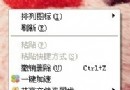
- 桌面右鍵 → 內容 → 桌面 → 「自訂桌面」→ 勾選「Internet Explorer」。
- 若無此選項:「新增移除程式」→「新增/移除 Windows 元件」→ 勾選 IE → 下一步。