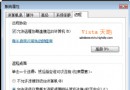
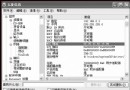
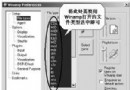
Win7 內建媒體中心 (Windows Media Center) 介面優雅、遙控器友善,但**原生不支援 RMVB、RM、AVI 等常見格式**,多數用戶改用暴風/潛艇播放器。
.rmvb
ehshell.exe
.rm
.avi
.mkv
.flv
若媒體中心播放異常(無聲/綠畫面),嘗試在解碼包設定中調整「優先使用」解碼器,或改用 LAV Filters 等成熟解碼器組合。
Windows XP 安裝啟動故障解決方案(一):未知硬體錯誤與 Boot.ini 損壞修復
經典技巧:不重灌 XP 解決所有故障(三)—— 故障修復主控台完整安裝與實戰指令大全
讓你的電腦插入自己的 USB 隨身碟後才能啟動
XP 系統插入隨身碟提示「請將磁碟插入磁碟機」怎麼辦?硬體故障排查與啟用 USB 控制器教學
Windows XP SP3 常見問題解答:包含所有舊更新、無需先裝 SP1/SP2、延遲發布原因
Windows XP 實現自動登入:免輸入密碼直達桌面
兩步驟重裝 Windows XP 系統內建 IE 瀏覽器,解決無法開啟、元件損毀問題
“Chuck Norris”僵尸网络疯狂攻击路由器与DSL Modem:利用弱密码与D-Link漏洞,全球蔓延