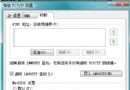
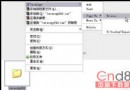
操作路徑:控制台 → 管理工具 → 服務。右鍵服務 → 內容 → 「啟動類型」可選「自動」、「手動」、「停用」。建議:看完說明後自行決定,修改前先記錄原狀態,出問題可復原。
| 服務名稱 | 功能說明 | 建議 |
|---|---|---|
| Alerter | 錯誤警示服務 | 停用 |
| Application Layer Gateway Service | 第三方網路共享/防火牆支援,佔 1.5MB | 手動 |
| Application Management | 軟體安裝/移除服務 | 手動 |
| ★ Automatic Updates | Windows 自動更新 | 自動 |
| Background Intelligent Transfer Service | HTTP 1.1 斷點續傳支援(Windows Update 用) | 手動 |
| ClipBook | 區域網路剪貼簿共享 | 停用 |
| COM+ Event System | COM+ 元件支援,若 C:\Program Files\ComPlus Applications 為空可停 | 手動 |
| Computer Browser | 瀏覽網路上鄰居,停用不影響存取 | 停用 |
| Cryptographic Services | 驗證 Windows 檔案指紋(更新時需啟用) | 手動 |
| DHCP Client | 自動取得 IP(固定 IP、ADSL 撥接可停) | 視需求 |
| Distributed Link Tracking Client | 區域網捷徑追蹤,佔 4MB | 停用 |
| Distributed Transaction Coordinator | 分散式交易,一般用戶無用 | 停用 |
| DNS Client | DNS 快取解析 | 自動 |
| Error Reporting Service | 錯誤回報給微軟 | 停用 |
| ★ Event Log | 系統日誌記錄,排錯必備 | 自動 |
| Fast User Switching Compatibility | 快速用戶切換 | 停用 |
| Help and Support | 線上說明服務 | 停用 |
| Human Interface Device Access | 多媒體鍵盤/滑鼠特殊鍵支援 | 手動 |
| IMAPI CD-Burning COM Service | XP 內建燒錄,用第三方軟體可停,佔 1.6MB | 停用 |
| Indexing Service | 檔案索引服務,嚴重拖慢系統,強烈建議停用 | 停用 |
| Internet Connection Firewall (ICF) | XP 內建防火牆,有第三方可停 | 停用 |
| IPSEC Services | IPSec 原則代理,一般用戶無用 | 停用 |
| Logical Disk Manager | 磁碟管理,需時會自動啟動 | 手動 |
| Logical Disk Manager Administrative Service | 同上 | 手動 |
| Messenger | 網路訊息服務(非 MSN),常被惡意彈窗利用 | 停用 |
| MS Software Shadow Copy Provider | 備份相關,一般用戶無用 | 停用 |
| Net Logon | 網域控制站登入,工作群組環境可停 | 停用 |
| NetMeeting Remote Desktop Sharing | NetMeeting 遠端桌面,極少用 | 停用 |
| ★ Network Connections | 網路連線核心服務,上網/區網必備 | 自動 |
| Network DDE / Network DDE DSDM | 舊版 DDE 網路通訊,配合 ClipBook | 停用 |
| Network Location Awareness | 網路位置感知(ICS/ICF 伺服端需求) | 手動 |
| NT LM Security Support Provider | Telnet 服務用 | 停用 |
| NVIDIA Driver Helper Service | NVIDIA 顯卡輔助,可停 | 停用 |
| Performance Logs and Alerts | 效能記錄與警示,專業用途 | 手動 |
| ★ Plug and Play | 即插即用硬體偵測,核心服務 | 自動 |
| Portable Media Serial Number | 行動裝置序號,無用 | 停用 |
| Print Spooler | 列印佇列,列印時才需啟動 | 手動 |
| Protected Storage | 儲存本機/網頁密碼、自動完成功能 | 自動 |
| QoS RSVP | 頻寬保留 20%,一般用戶可停 | 停用 |
| Remote Access Auto Connection Manager | 寬帶/網路共享自動撥號 | 手動 |
| Remote Desktop Help Session Manager | 遠端協助,佔 4MB | 停用 |
| ★ Remote Procedure Call (RPC) | 系統核心 RPC 服務,不可停 | 自動 |
| Remote Procedure Call Locator | RPC 資料庫管理,佔 1MB | 手動 |