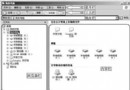
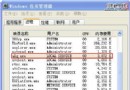
症狀:ping 192.168.1.1 回應「一般失敗」,100% 封包遺失,但瀏覽網頁、QQ 均正常。解法:在 Windows 防火牆開啟 ICMP 輸入/輸出規則。
ping 192.168.1.1
僅開啟 ICMP 不影響其他防火牆防護功能。
WinXP一鍵靜音捷徑製作教學:告別右下角小喇叭繁瑣操作
Windows XP 事件查看器入門:打開方法、三大日誌類型與安全審計實戰
Vista 重複啟動菜單項刪除指南:bcdedit 命令與圖形工具雙方案
IE 瀏覽器鍵盤快捷鍵大全:從基礎導航到開發者工具的效率神器
XP 開啟螢幕鍵盤:執行 osk 指令、或輸入法右鍵選單叫出軟體鍵盤
Windows XP 系統還原功能完整教學 (2/4):建立還原點詳解
電腦輻射其實很可怕:九招實用防護法從仙人掌到綠茶、香蕉全方位守護健康
軟體安裝提示「已安裝過」要求重開機卻無效?清理註冊表殘留鍵值