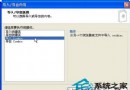
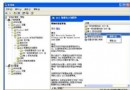
XP 輸入法圖示莫名消失、Ctrl+Shift 不切換,主因 ctfmon.exe 受損(病毒/誤刪)。三招修復:
ctfmon.exe
msconfig
Ctfmon.exe
近期病毒大量破壞 ctfmon.exe,建議使用「輸入法修復工具」或 360 修復功能一鍵修復。
Vista 介面字體太模糊?將預設「微軟正黑體」改為銳利「新細明體」並保留 Aero 透明效果
XP系統忘記開機密碼怎麼辦?利用隱藏Administrator帳號繞過登入重設密碼
Windows XP 系統六大精彩問答:組策略誤禁、新增移除程式失效、系統匣圖示無法隱藏
Windows 98 將控制台加入「開始」選單快速存取
打造不死的 Windows 2000/XP 作業系統 (一):四大救援招式
Windows XP 系統加速九大實戰技巧:自動結束無回應、清理 DLL 快取、優化網芳、開關機加速、選單加速、QoS 頻寬、啟動項精簡、預讀調教
Windows XP 網橋功能實作:雙網卡互聯不同網段、擴充區域網路
Windows 群組原則軟體限制原則 規則撰寫實戰範例(一)