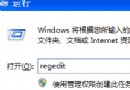
針對老舊配置(如 Celeron 366MHz),三條命令釋放資源、加速開機,立竿見影。
regsvr32 /u zipfldr.dll
取消系統對 .zip 文件的資源管理器集成(佔用 Shell 命名空間擴展資源),改用 WinRAR/7-Zip 管理壓縮包。
chkntfs /t:0
將 Autochk 掛載倒計時從默認 10 秒歸零,重啟不再等待,直接進入系統。需檢查時手動執行 chkdsk /f。
sfc.exe /purgecache
刪除 %windir%\system32\dllcache 下約 200-300MB 的系統文件備份(Driver.cab 等)。前提:軟硬件已穩定運行,無需頻繁系統文件還原。
風險提示:第三步不可逆,若後續系統文件損壞需從安裝光盤恢復。生產環境建議保留備份。