Windows XP 桌面圖示文字預設帶有藍色陰影,影響視覺美觀。本文提供兩種移除方法,依系統狀況選擇適用方案。
方法一:桌面右鍵選單快速關閉(最簡單)
- 桌面空白處右鍵,檢查選單中是否有「鎖定網頁項目」選項
- 若有,取消勾選即可移除陰影
- 若無此選項,請改用方法二
方法二:群組原則編輯器徹底關閉(適用專業版)
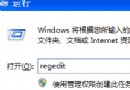
- 按 Win+R 開啟「執行」,輸入
gpedit.msc 開啟群組原則編輯器
- 依序展開:使用者設定 → 系統管理範本 → 桌面 → Active Desktop
- 雙擊「禁止使用 Active Desktop」或相關設定,選擇「已啟用」
- 確定並重新整理桌面(或重新登入)
補充說明
- 藍色陰影實為 Active Desktop 功能殘留效果
- Home 版無
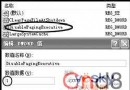
gpedit.msc,可改用登錄編輯:HKEY_CURRENT_USER\Software\Microsoft\Windows\CurrentVersion\Policies\Explorer 建立 DWORD NoActiveDesktop = 1
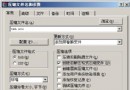
- 亦可透過「系統內容 → 進階 → 效能設定 → 視覺效果」取消「桌面圖示標籤使用陰影」
依個人習慣與系統版本選擇適合方法,即可擁有乾淨無陰影的桌面圖示。