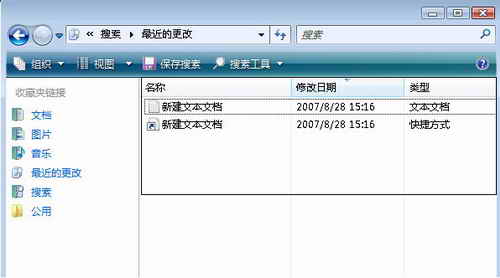
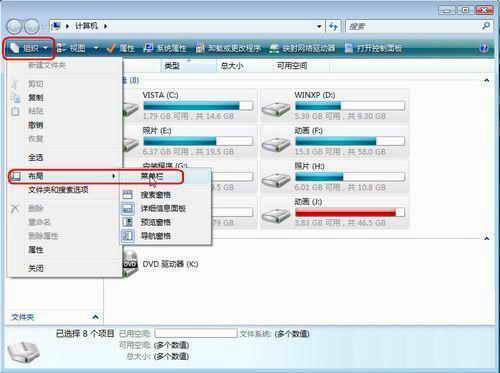
Vista 檔案總管工具列預設隱藏功能表列,「最近的變更」實為 C:\Users\<用戶名>\AppData\Roaming\Microsoft\Windows\Recent 資料夾內的捷徑集合。清除步驟:
C:\Users\<用戶名>\AppData\Roaming\Microsoft\Windows\Recent
Recent
補充:此資料夾僅存放捷徑,定期清理可保護隱私並加快「最近使用」載入速度。
Vista 檔案關聯設定藏哪了?「預設程式」一站式管理取代資料夾選項
在 Windows Vista 開始選單啟用隱私保護
Vista 播放雙語聲道影片:用「平衡」調整單聲道輸出
Vista 手動中斷 ADSL 寬頻連線的三種方法
變更 Vista 開始選單電源鈕動作:睡眠/休眠/關機任你選
Vista 安裝 KB931768 後 IE7 無法開啟?將暫存檔資料夾移回預設位置
為 Vista 側邊欄添加「成長引擎」小工具
Vista 調整文字大小 (DPI) 導致程式介面顯示不全(按鈕消失)的解決