Vista 執行程式彈出「應用程式初始化失敗 (0xC00000xx)」,常見原因與對策:
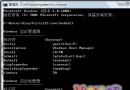
net stop winmgmt
C:\Windows\System32\wbem\Repository
net start winmgmt
HKLM\SOFTWARE\Microsoft\WBEM\CIMOM\Autorecover MOFs
多數初始化錯誤可由以上方式解決。
解決 LCD 螢幕在 Vista 下的相容問題:刷新率卡 59Hz
Vista 登入支付寶 800A138F 錯誤完整解決 (含 UAC 關閉與控件安裝)
Vista 六大常見故障自救指南:無法開機、側邊欄天氣、截圖花屏、盤符錯亂、QQ 藍屏、找回執行命令
Vista 惡意軟體感染率數據爭議:PC Tools vs 微軟 MSRT 報告解讀
透析 Windows Vista 失敗五大原因:XP 陰影太重、軟體膨脹太慢、相容性太差、安全代價太高、市場時機錯位
您的電腦能跑 Windows Vista 嗎?官方規格、效能評分實測與升級顧問完整攻略
徹底解決 Vista 瘋狂讀硬碟(硬碟燈狂閃)問題
一行指令解決 Vista/Win7 下 MSI 安裝包「無法存取 Windows Installer 服務」錯誤